LaTeX Beamer Themes: All 29 Built-in Themes, With Previews
Beamer ships 29 presentation themes, chosen with one line, \usetheme{Madrid}, and they differ mainly in one thing: how they show where you are in the talk. Some show nothing, some a footer, some a row of dots per slide, some a sidebar outline. Colour themes and font themes are separate, so any layout can take any palette. Below: previews of 16 themes you can open as a ready deck, every built-in theme by group, and how to switch.
Switch a theme in three lines
A complete 16:9 deck. Change the theme name, compile, and the whole presentation changes; the colour and font lines are optional and independent of it.
\documentclass[aspectratio=169]{beamer}
\usetheme{Madrid}          % the layout: header, footer, sidebar, blocks
\usecolortheme{beaver}     % the colours, independent of the layout
\usefonttheme{professionalfonts}

\title{Your Talk Title}
\author{Your Name}
\institute{Your University}
\date{\today}

\begin{document}

\frame{\titlepage}

\begin{frame}{One slide}
  \begin{itemize}
    \item Change \texttt{Madrid} to any theme below and compile again.
    \item Colour and font themes change independently of the layout.
  \end{itemize}
  \begin{block}{A block}
    Blocks take the theme's colours.
  \end{block}
\end{frame}

\end{document}
The themes, as ready decks
Each preview is a short talk built on that theme. Open one and it compiles in your browser, nothing to install.
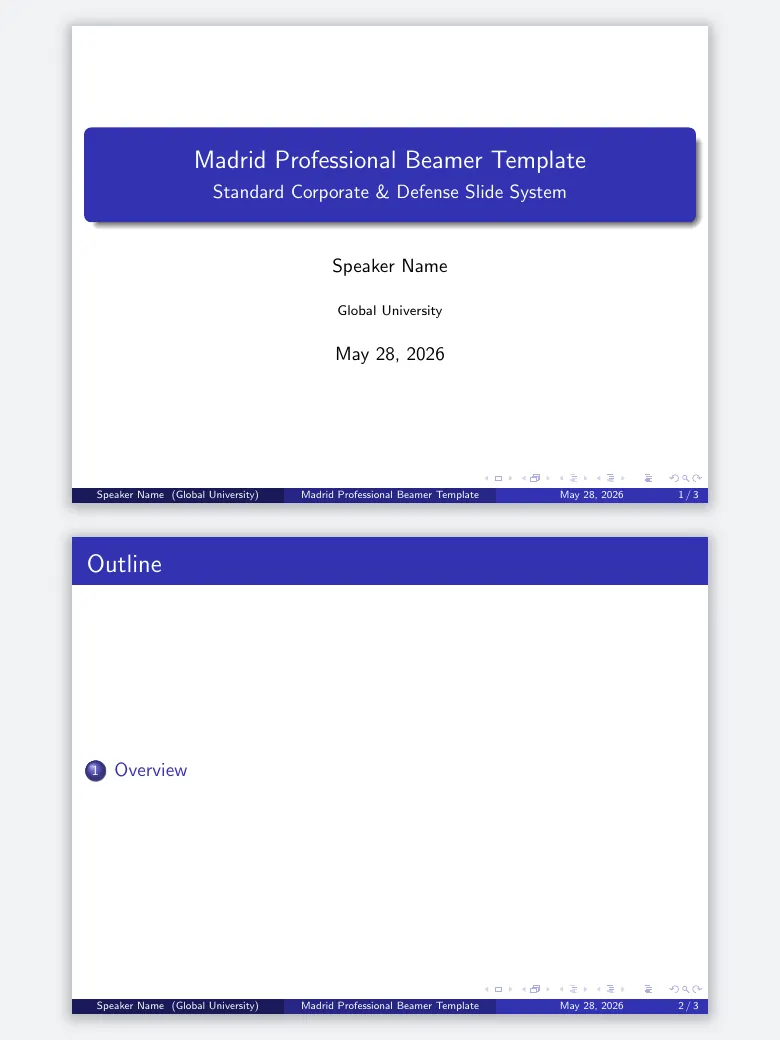
Madrid
No navigation bar; a footer with author, title and slide number. The safe choice for most talks.
\usetheme{Madrid}
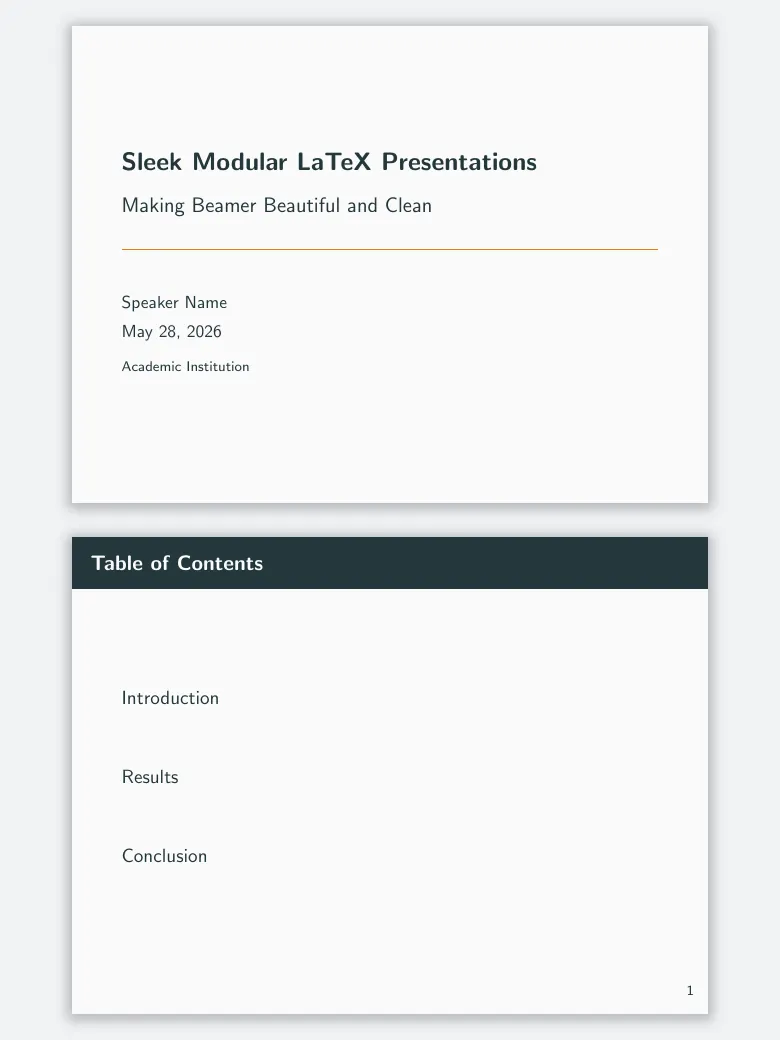
Metropolisadd-on
Flat and minimal, with a thin progress bar. An add-on theme; Moloch is its maintained fork.
\usetheme{metropolis}
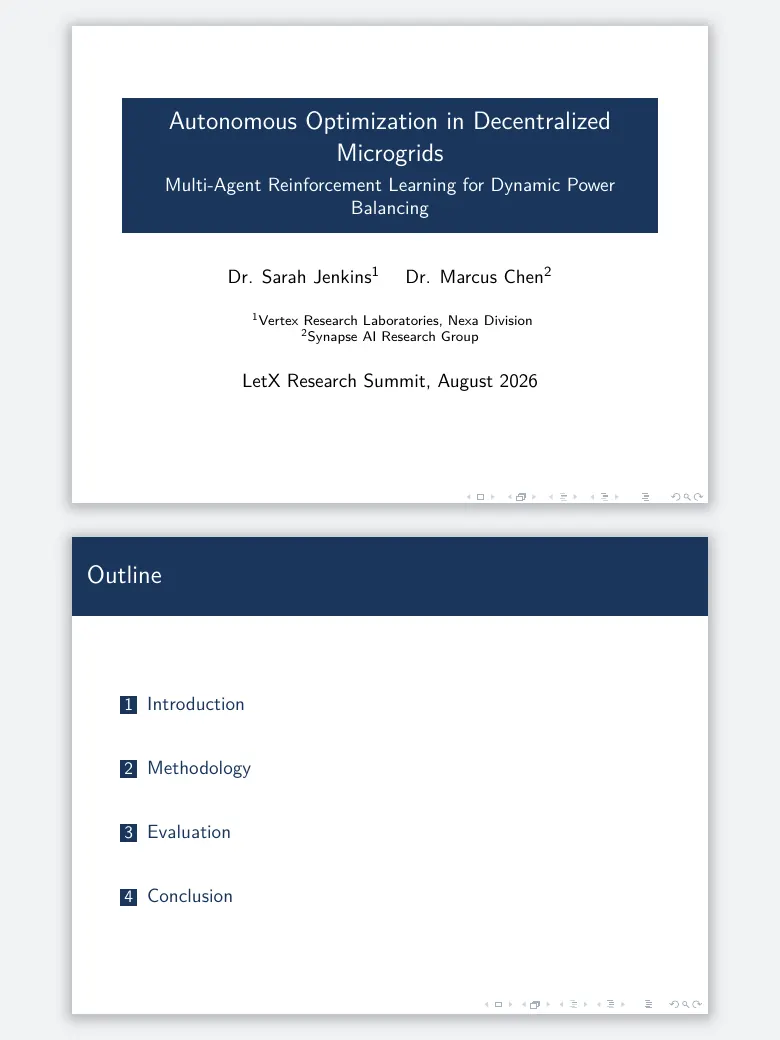
CambridgeUS
Madrid’s layout in deep red: the user guide calls it Boadilla in MIT’s colours.
\usetheme{CambridgeUS}
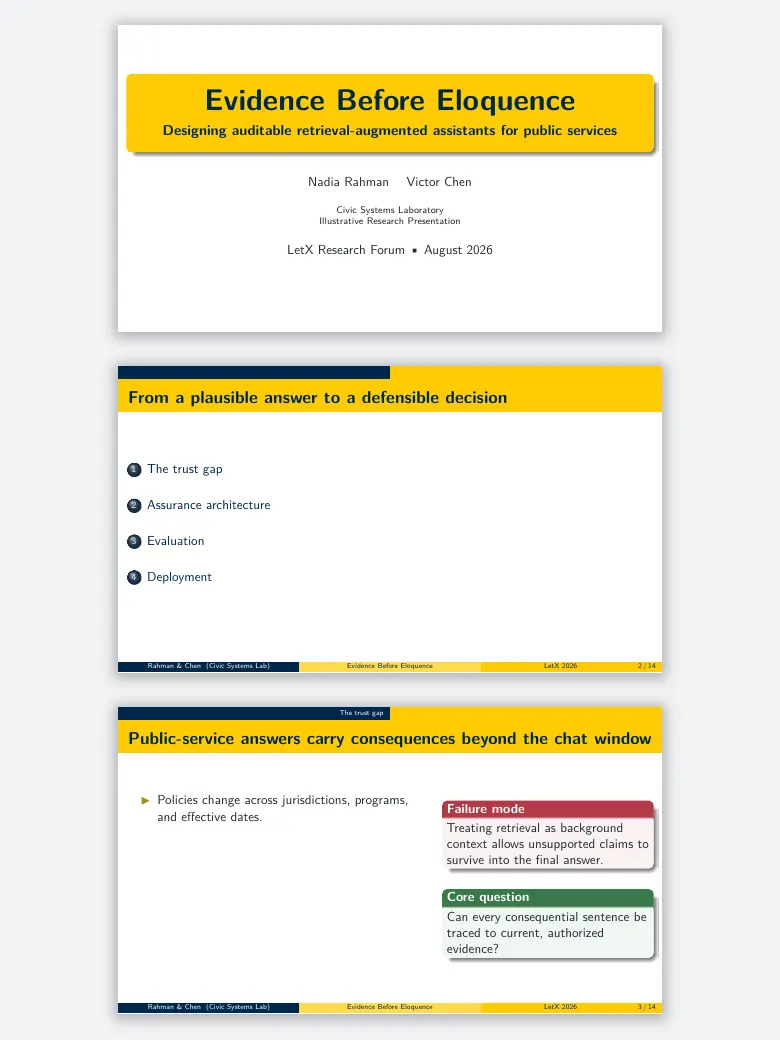
AnnArbor
The same layout in the University of Michigan’s blue and maize.
\usetheme{AnnArbor}
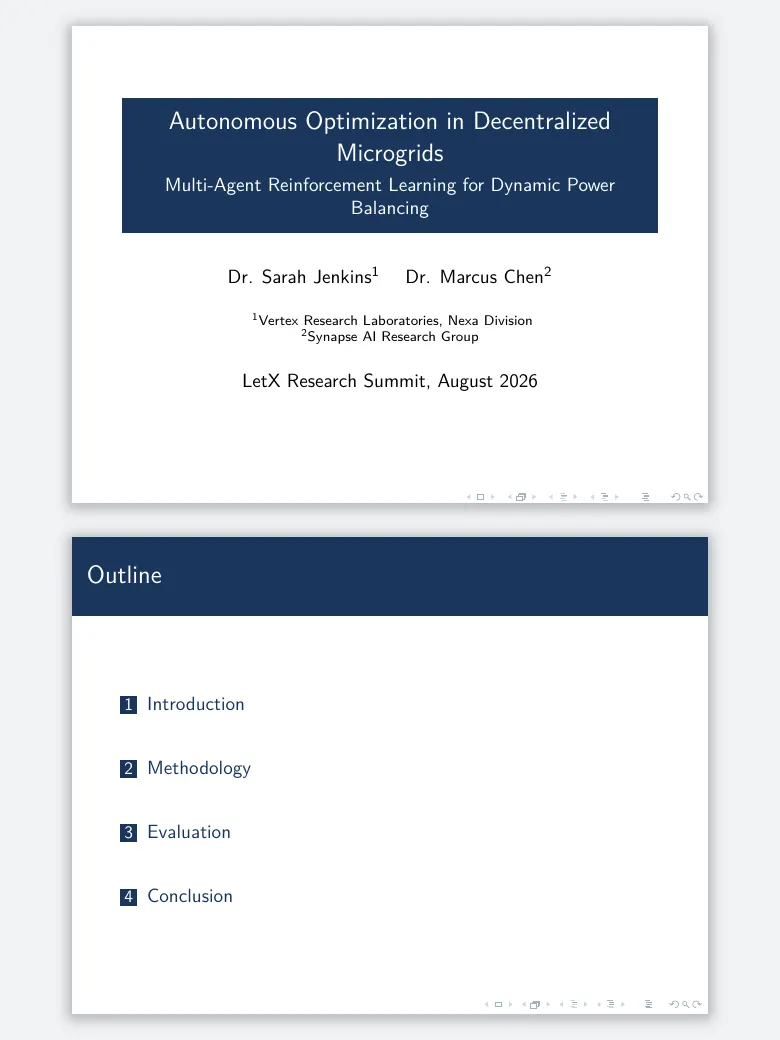
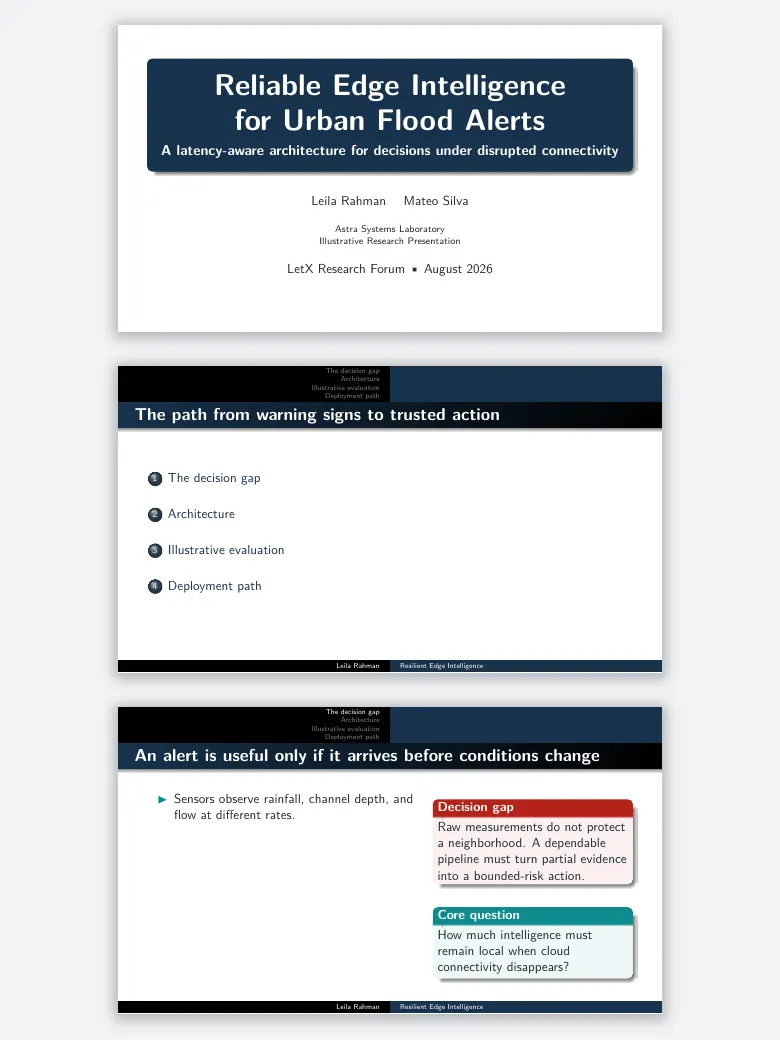
Warsaw
Section and subsection at the top, title and author at the bottom, with shading.
\usetheme{Warsaw}
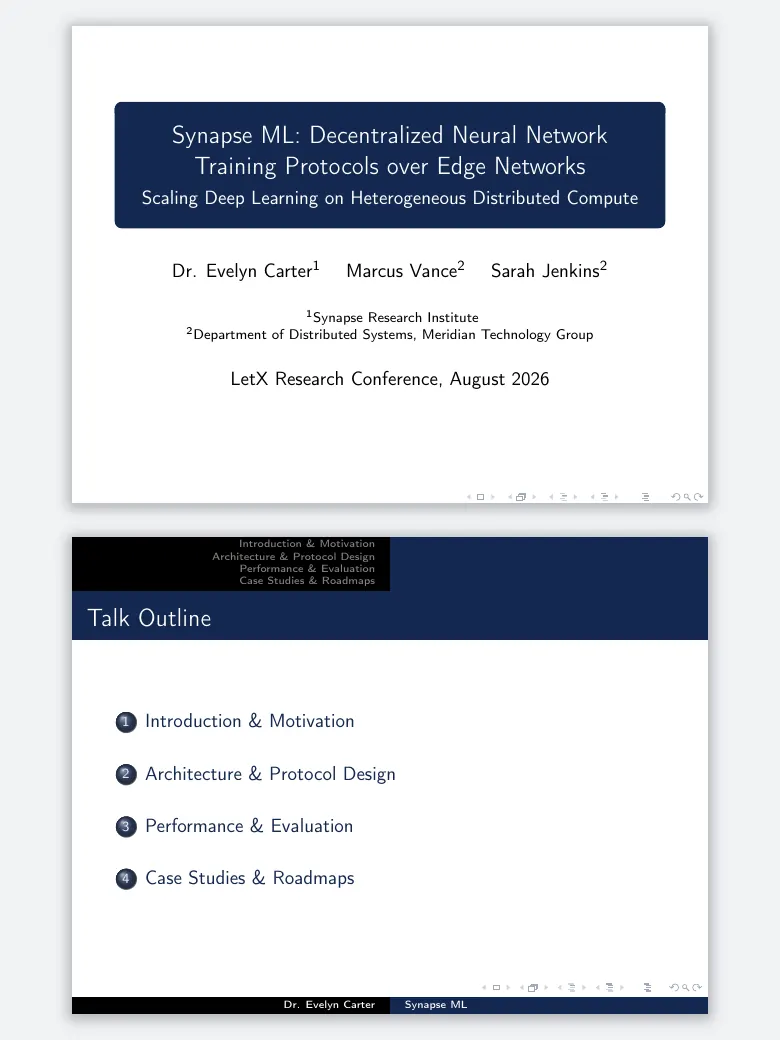
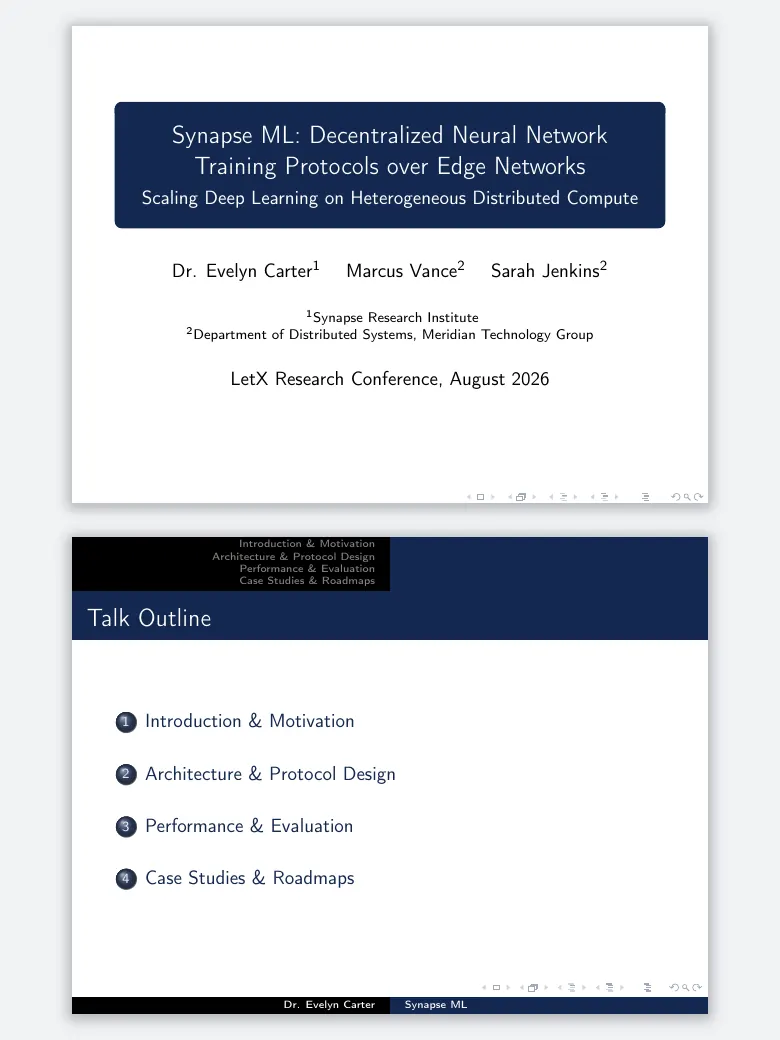
Copenhagen
Warsaw’s structure, flatter and quieter, with no shadows.
\usetheme{Copenhagen}
Berlin
A header of section names with a dot for every slide, so the audience sees where you are.
\usetheme{Berlin}
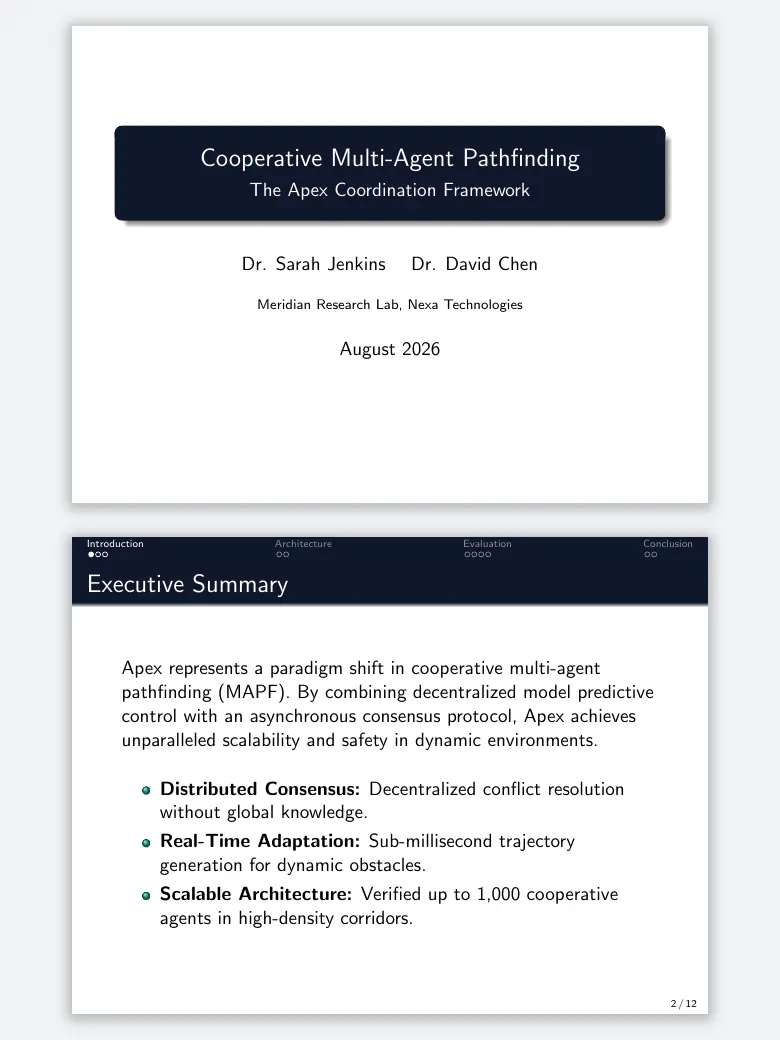
Frankfurt
Mini-frame dots like Berlin, without the subsection line: the user guide’s less cluttered Darmstadt.
\usetheme{Frankfurt}
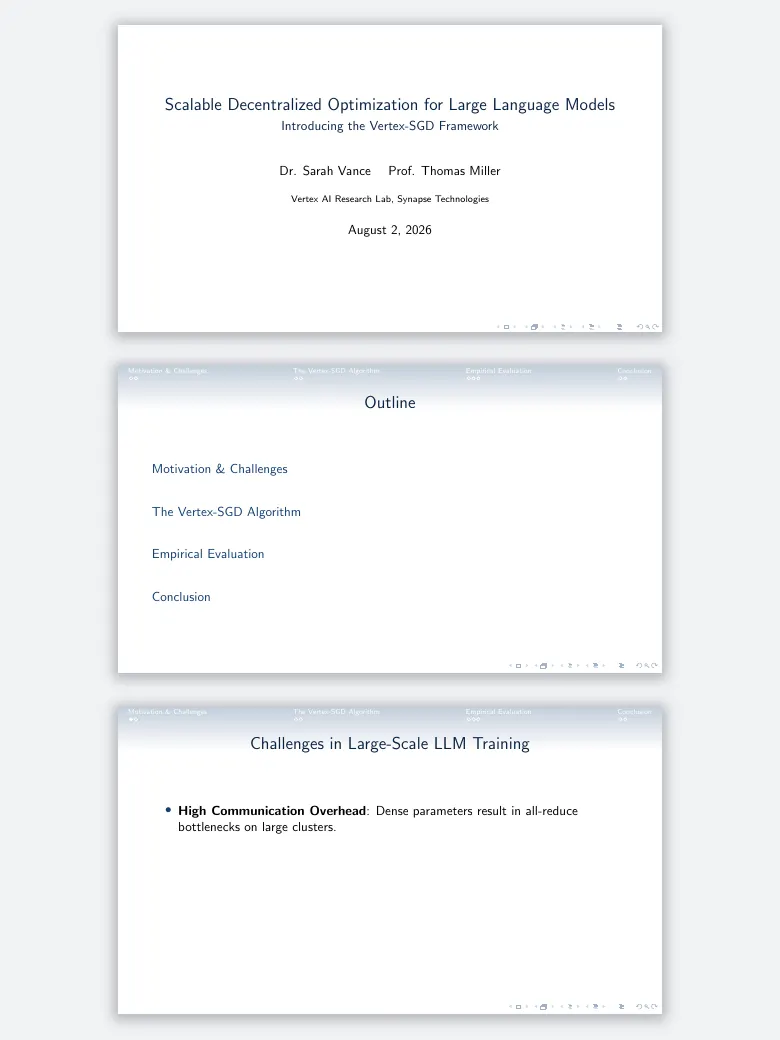
Singapore
Navigation dots that stay out of the way, on a light header.
\usetheme{Singapore}
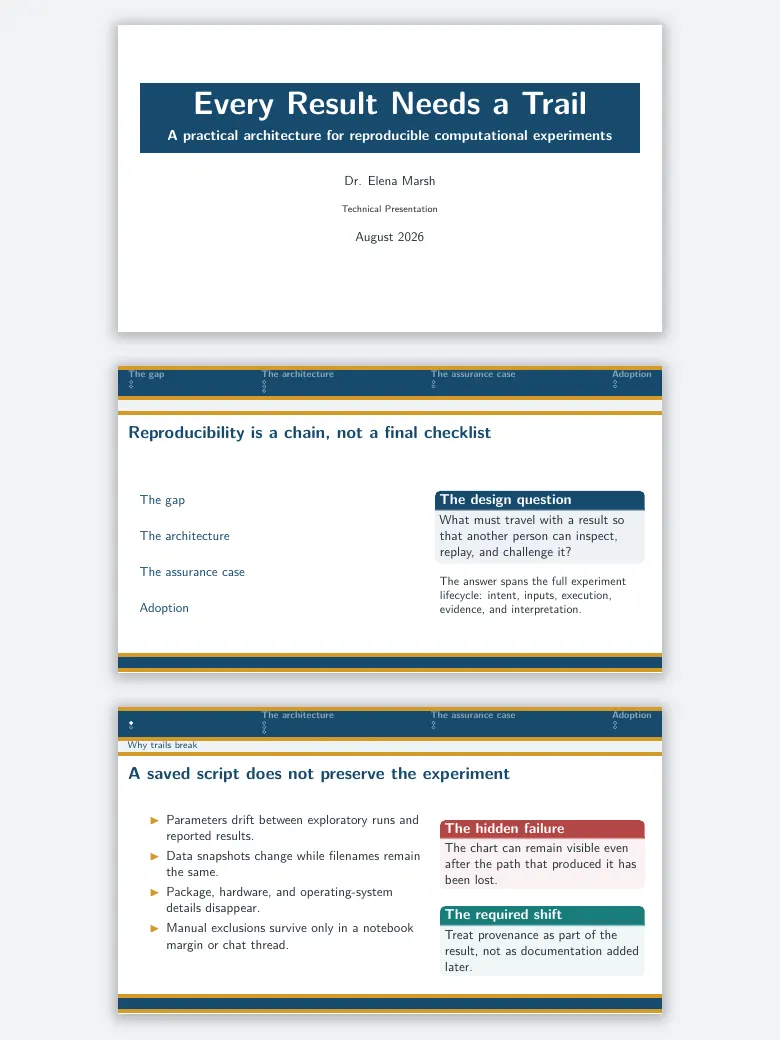
Szeged
Sober, built from horizontal rules, with navigation in the header.
\usetheme{Szeged}
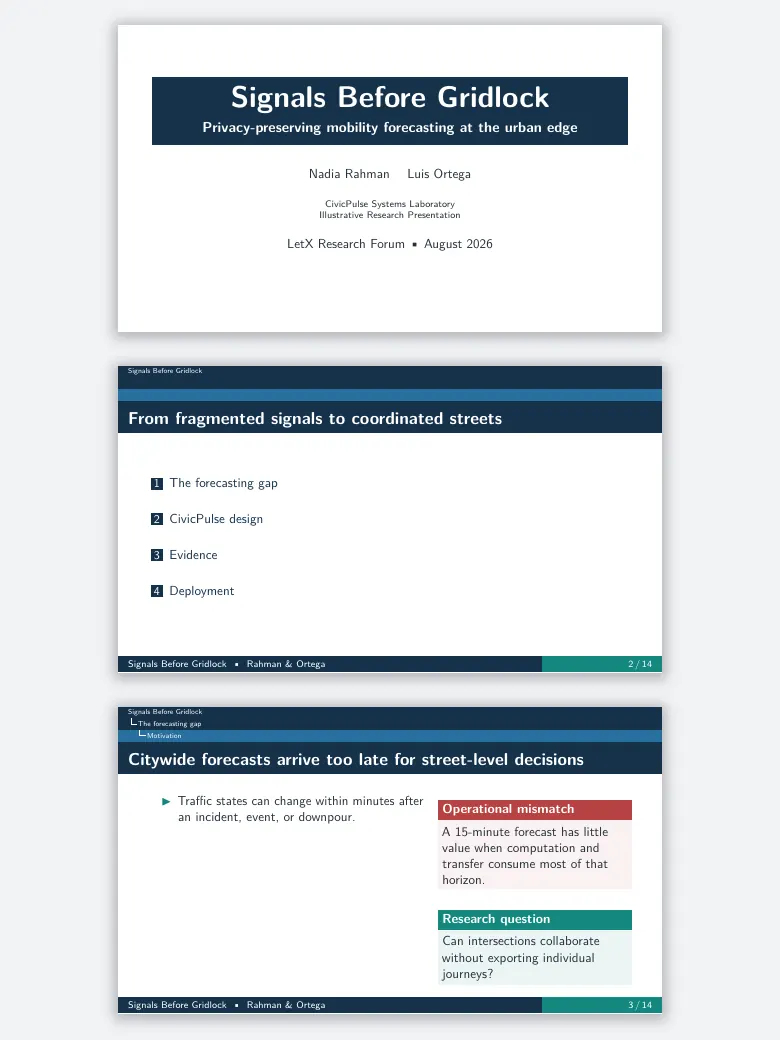
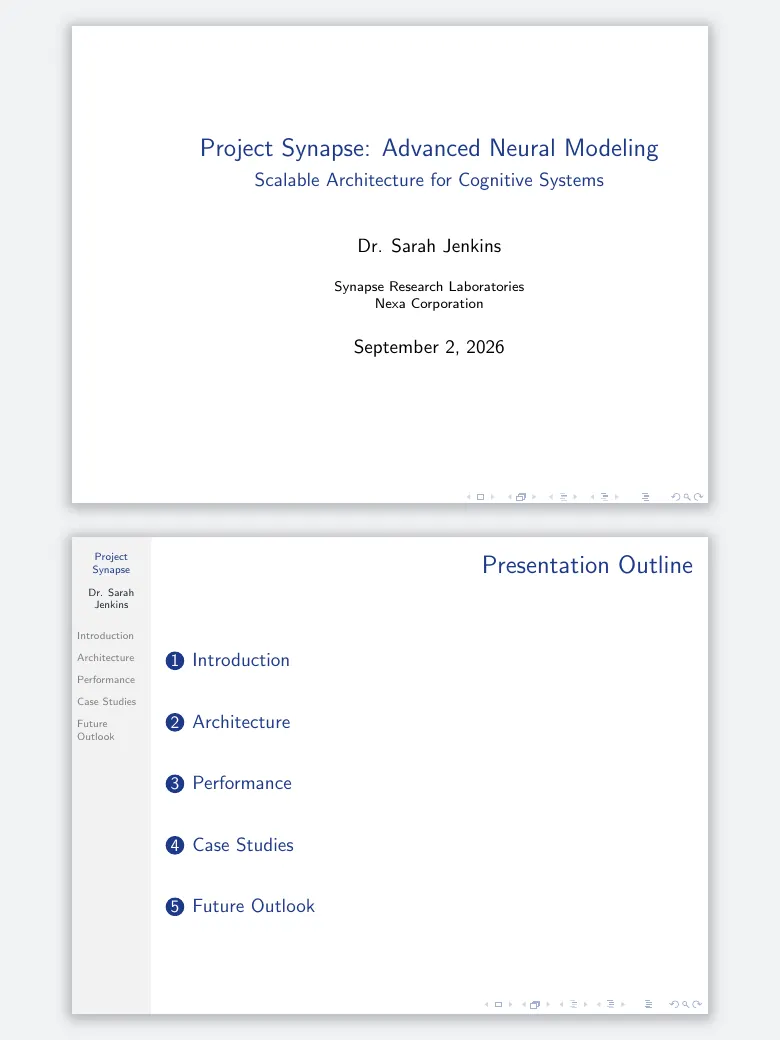
Hannover
A table-of-contents sidebar on the left, for long talks in many parts.
\usetheme{Hannover}
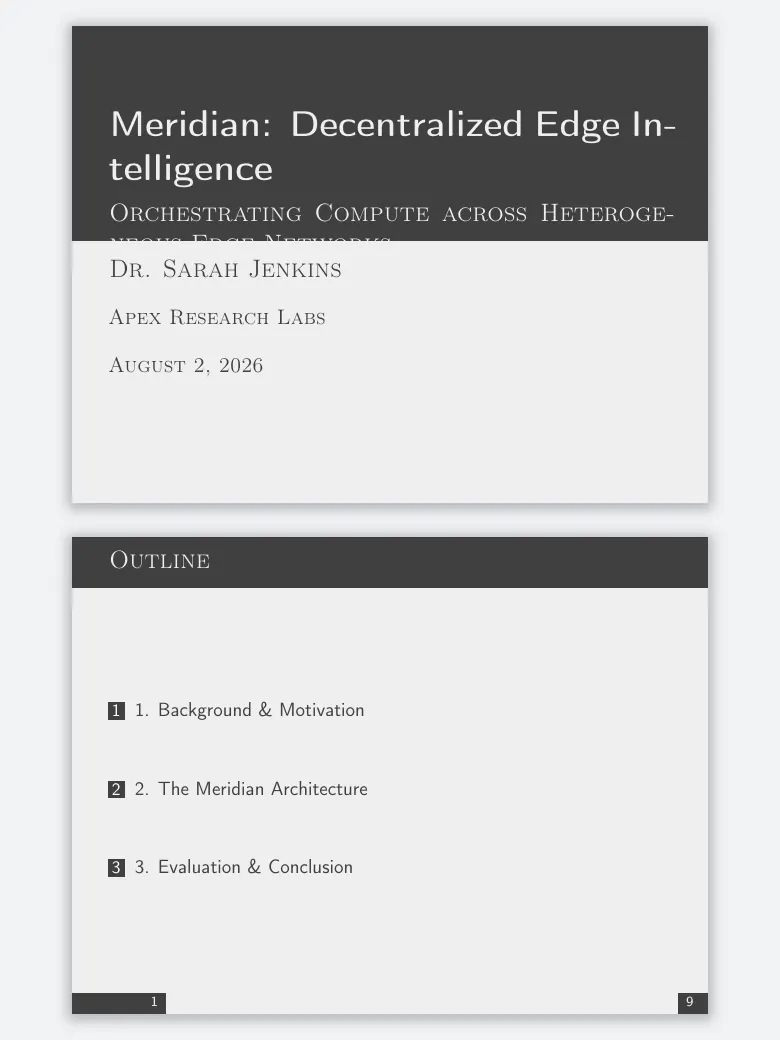
Focusadd-on
Minimal, with dark title and section slides. An add-on theme.
\usetheme{focus}
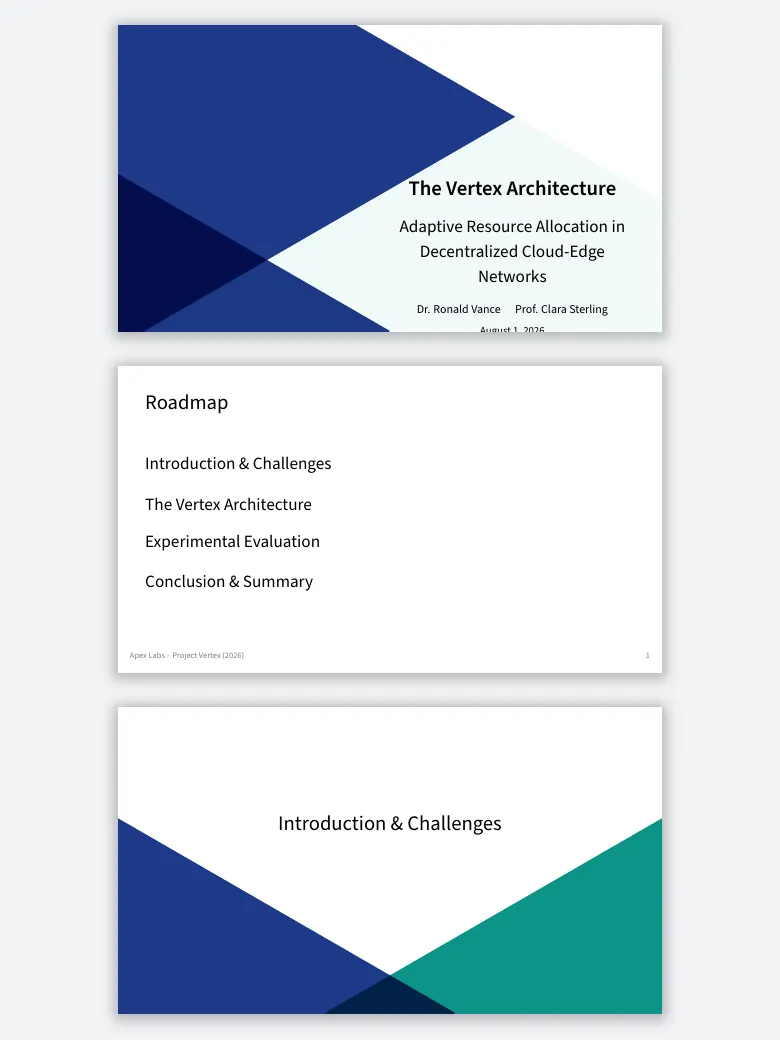
Trigonadd-on
Geometric title and section slides on a clean body. An add-on theme.
\usetheme{trigon}
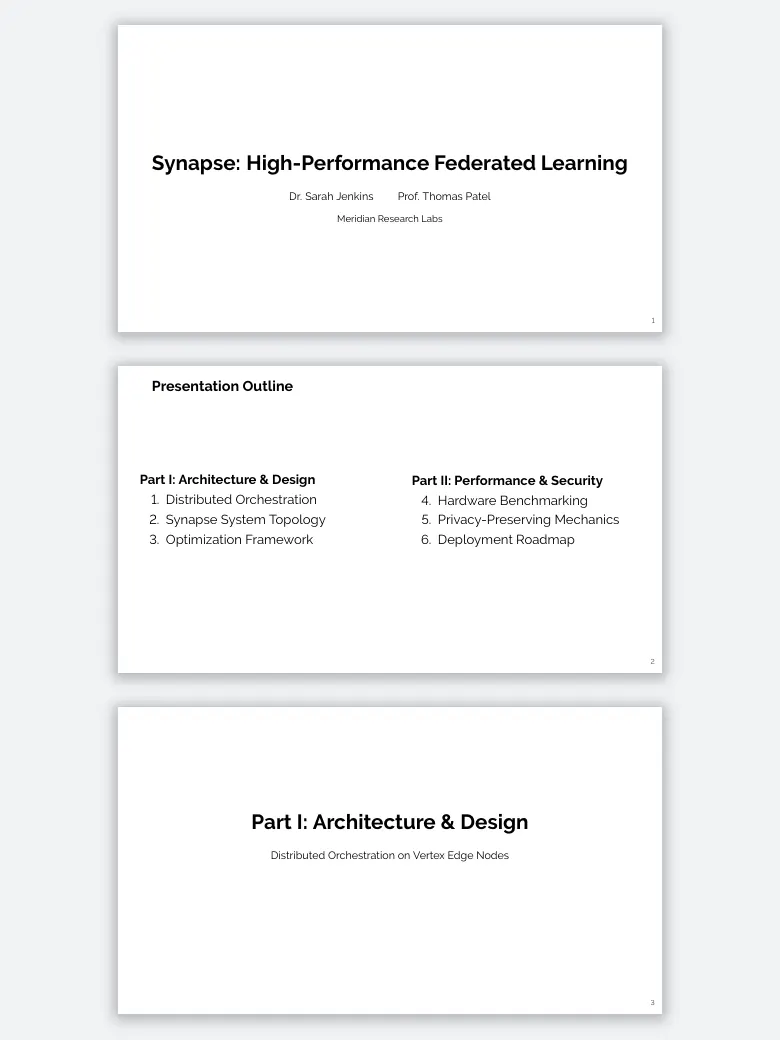
Aurigaadd-on
Very plain and typographic. An add-on theme with its own colour theme.
\usetheme{Auriga}
Every built-in theme, by layout
The grouping is the Beamer user guide’s own (beamer 3.78, August 2026).
| Layout | Themes | Good for |
|---|---|---|
| No navigation bar | default, boxes, Bergen, Boadilla, Madrid, AnnArbor, CambridgeUS, EastLansing, Pittsburgh, Rochester | Most talks. Nothing on screen but the slide and, for the Boadilla family, a footer with who and what. |
| Tree-like navigation at the top | Antibes, JuanLesPins, Montpellier | Talks where the title, section and subsection should always be visible. |
| Table of contents sidebar | Berkeley, PaloAlto, Goettingen, Marburg, Hannover | Long lectures and defences, where the outline itself helps the audience. |
| Mini frame navigation | Berlin, Ilmenau, Dresden, Darmstadt, Frankfurt, Singapore, Szeged | Conference talks: one dot per slide shows how far through you are. |
| Section and subsection tables | Copenhagen, Luebeck, Malmoe, Warsaw | Structured talks that want the section name on every slide. |
Nine older names (bars, classic, compatibility, lined, plain, shadow, sidebar, split, tree) still load for old documents; use the themes above for anything new.
Colour themes and font themes
A colour theme recolours any layout; put it after \usetheme.
- Complete palettes: albatross, beaver, beetle, crane, dove, fly, monarca, seagull, spruce, wolverine.
- Only the blocks and inner elements: lily, orchid, rose.
- Only the header, footer and sidebar: whale, seahorse, dolphin.
- Special: default, structure (set one colour,
\usecolortheme[named=Blue]{structure}), sidebartab.
Font themes: default, professionalfonts (leave maths fonts to your packages), serif, structurebold, structureitalicserif and structuresmallcapsserif, with \usefonttheme{serif}.
Metropolis and Moloch
Metropolis is the add-on theme most modern-looking LaTeX decks use: flat, a thin progress bar, very little furniture. It still works and is in TeX Live, but CTAN lists version 1.2 from January 2017 and its repository has had no commit since 2018. Moloch is a fork made to fix the issues that stayed open, without Metropolis’s special handling of the Fira fonts; it has been on CTAN since January 2024, is in TeX Live, and is still updated (2.3.1, October 2026). It is not a drop-in replacement in every detail, so check a deck after switching from \usetheme{metropolis} to \usetheme{moloch}.
Picking one
- A conference talk of 15 minutes: Madrid, or Metropolis or Moloch for a flatter look.
- A thesis defence or a long lecture: a sidebar theme (Hannover, Berkeley) or Berlin’s dots, so the outline is always on screen.
- A talk for a department with house colours: Madrid’s layout with
\usecolortheme[named=...]{structure}. - Projectors still at 4:3: leave out
aspectratio; everywhere else useaspectratio=169.
For whole decks rather than themes (defences, lectures, pitch decks), see the best LaTeX Beamer templates, and for writing slides from scratch, how to make Beamer slides.
Frequently asked questions
How do I change the theme of a Beamer presentation?
Put \usetheme{Name} in the preamble, for example \usetheme{Madrid}, and compile again. The colours and fonts are separate: \usecolortheme{beaver} changes the colours and \usefonttheme{serif} the fonts, each independently of the layout.
How many themes does Beamer have?
Beamer 3.78 (August 2026) ships 29 presentation themes, from default to Warsaw, plus 19 colour themes and 6 font themes. Add-on themes such as Metropolis, Moloch, Focus and Trigon are separate packages in TeX Live.
What is the best Beamer theme?
For most talks, Madrid or one of its colour variants (CambridgeUS, AnnArbor): no navigation bar, a footer with author and title, nothing in the way. For a modern flat look, Metropolis or its maintained fork Moloch. For long lectures, a sidebar theme such as Hannover or Berkeley.
Is the Metropolis Beamer theme still maintained?
CTAN still lists Metropolis 1.2 from January 2017, and its repository has had no commit since 2018, though it still works and is in TeX Live. Moloch is a fork that fixes long-standing issues; it has been on CTAN since January 2024 and is in TeX Live, but it is not a drop-in replacement in every detail.
How do I make Beamer slides 16:9?
Pass the aspect ratio to the document class: \documentclass[aspectratio=169]{beamer}. Beamer defaults to 4:3; 1610, 149, 141, 54, 43, 32 and 2013 are the other fixed values.
Keep reading
Ready to try LetX?
Join researchers and students focusing on their work, not the tools.
Get Started Free
Written by Shihab Shahriar Antor , AI Engineer & Founder of Shahriar Labs. Builder of LetX (collaborative LaTeX) and offSchool (SSC science and maths, learned through simulations).