Best LaTeX Resume & CV Templates (Free, 2026)
The best free LaTeX resume templates in 2026 are Jake's Resume, Deedy, AltaCV, Awesome-CV and ModernCV: clean, ATS-friendly, and endlessly customizable. All five are below with previews, followed by a filter over all 178 free CV templates on LetX so you can narrow by career stage, field and country.
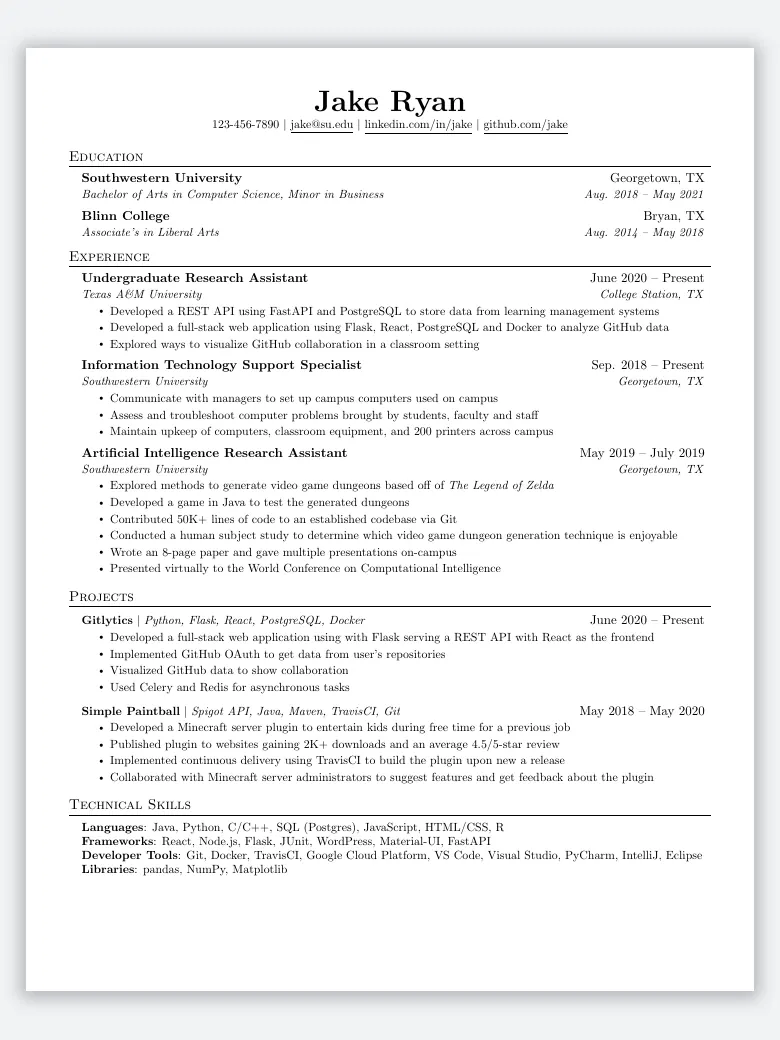
Jake's Resume
One column, one page
Plain section headings and tight spacing. The usual choice for students, new graduates and software roles, and the safest one for an online application form.
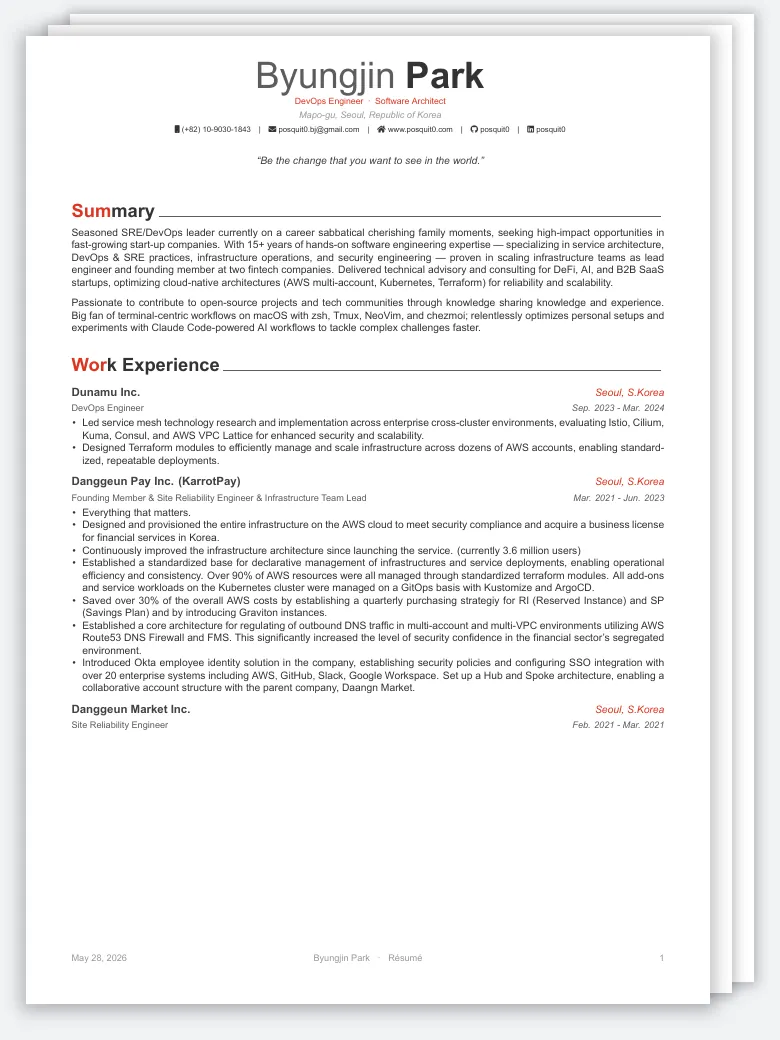
Awesome CV
One column
Coloured headings and careful typography. A polished look for industry applications, with room for a second page.
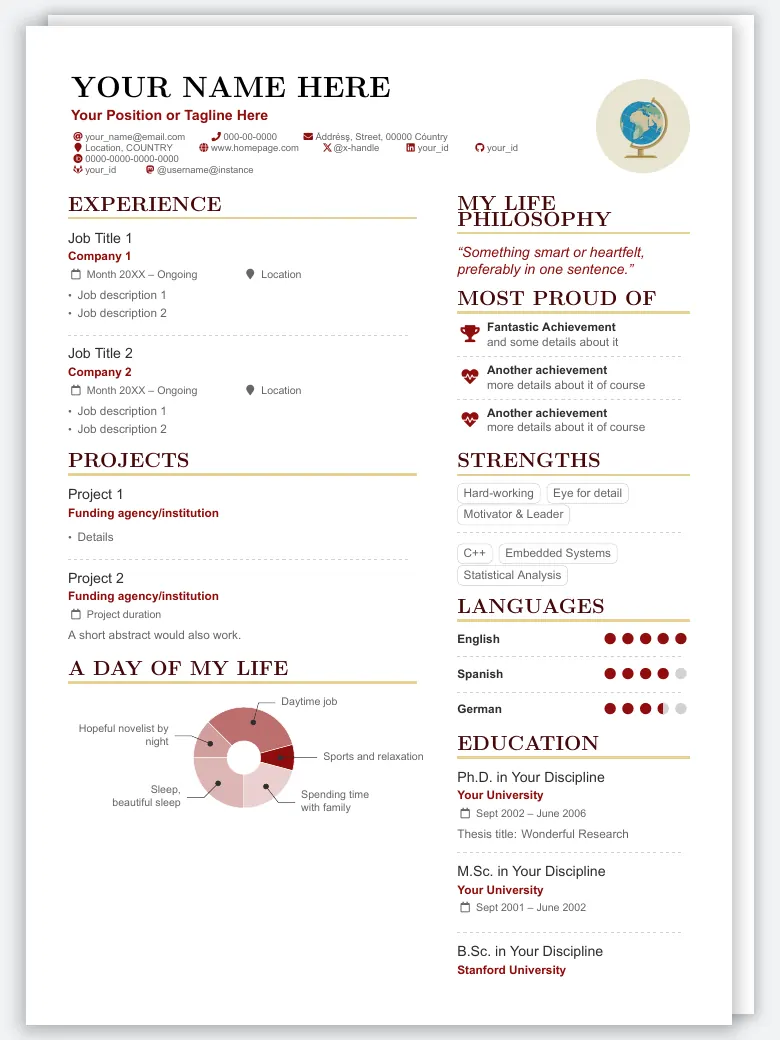
AltaCV Resume
Two columns
A side column for strengths, languages and education beside your experience. Best for a CV a person opens, by email or in hand.
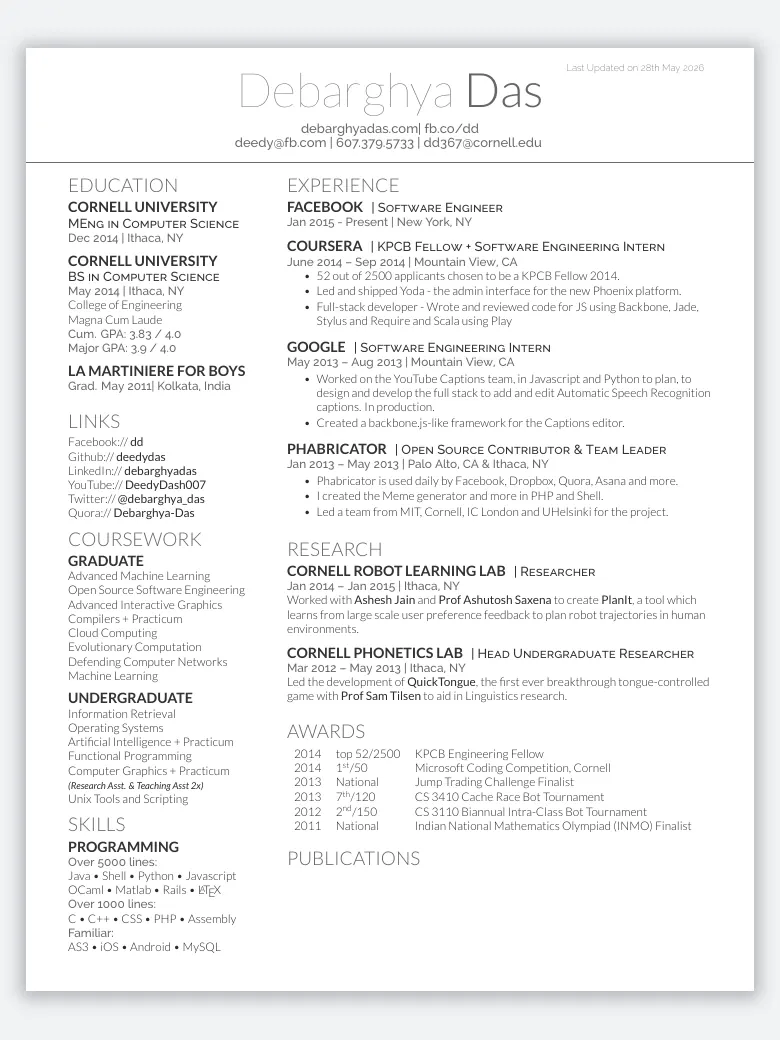
Deedy Resume
Two columns, one page
Two dense columns that fit a great deal on one page. Popular in computer science. Email it; do not upload it to a form.
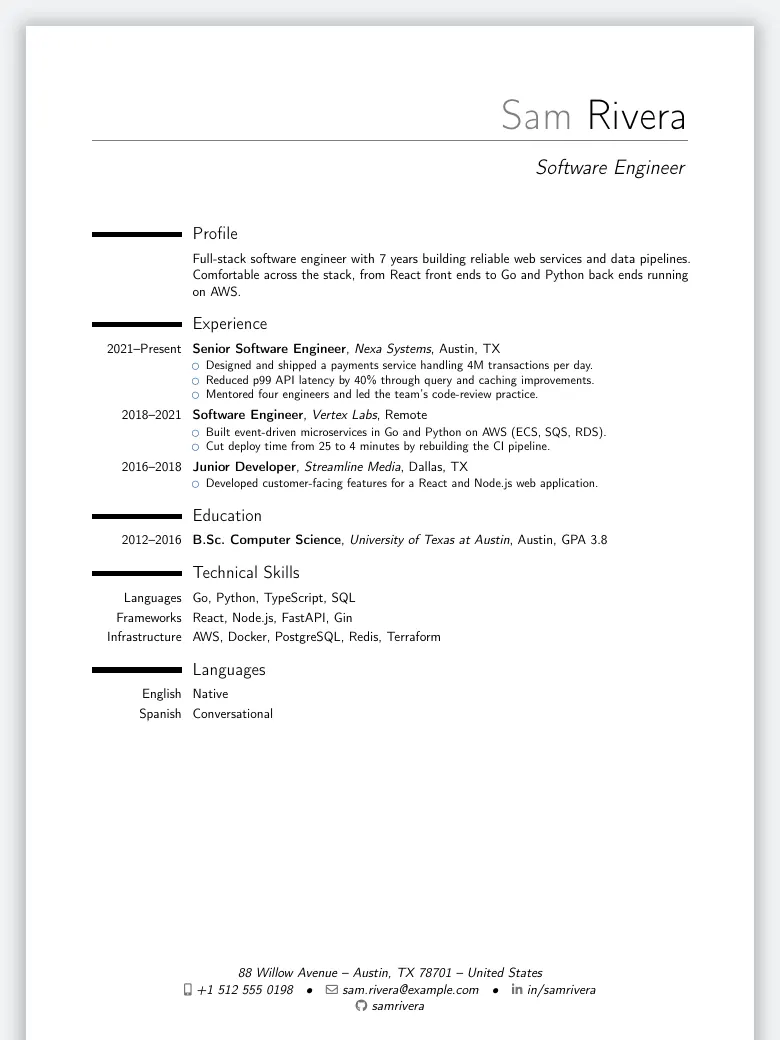
ModernCV
One column, dates in the margin
The long-standing moderncv class, with several built-in styles and colours. Common for European and academic applications.
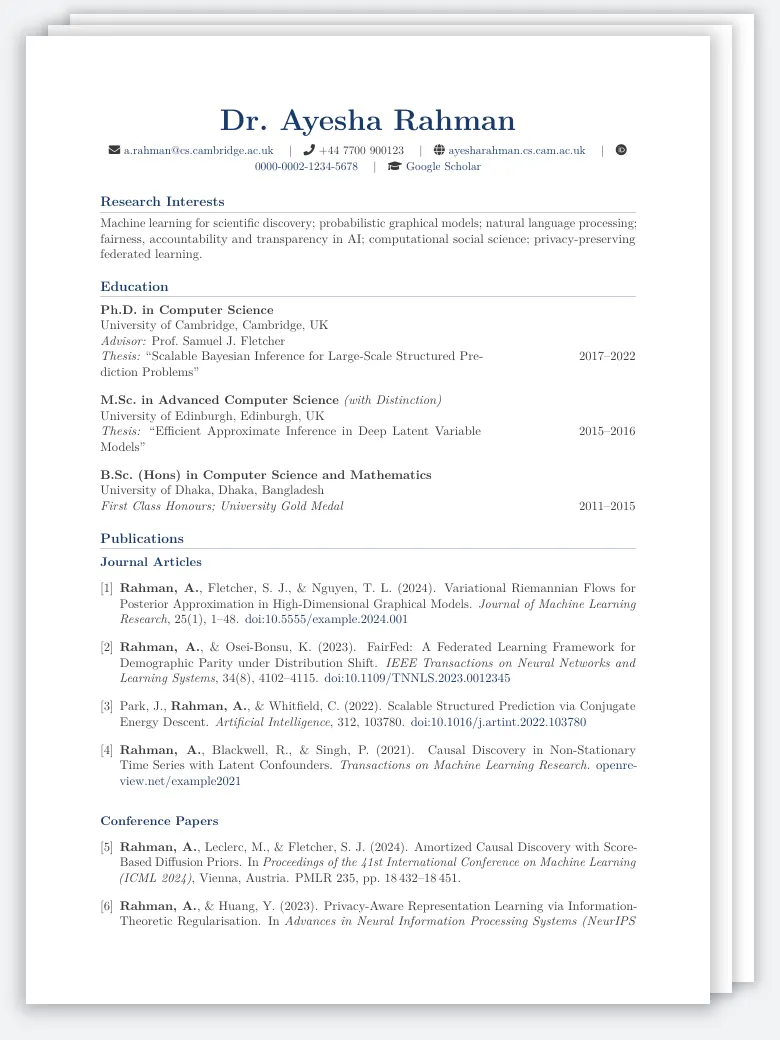
Academic CV
One column, many pages
Publications, teaching, grants and talks, with no page limit. For faculty, postdoc and PhD applications.
A LaTeX resume looks sharper than a Word document and version-controls like code. Every template here opens and compiles in seconds on LetX, with no install required. If you would rather start from source, there is a complete one-page resume to copy and paste below the filter.
Worried about applicant tracking systems? A LaTeX resume passes them as readily as one from Word, because an ATS reads the text layer of your PDF and LaTeX produces a real one. The layout is what decides it, and there is a thirty-second test you can run on your own PDF to check.
Pick by stage, field and country
A résumé is not one format. Thirty-seven of these follow a specific country's conventions, a German Lebenslauf, a Japanese rirekisho, a US federal résumé and a Europass CV each expect different sections in a different order, and sending the wrong one reads as carelessness. Filter to what applies to you:
Find your CV template
All 178 are free and open in the browser.
Filter by where you are, what you do, and which country you are applying in.
Showing 178 of 178 templates
- Jake's Resume
- Banking & Finance CV
- nextcv - ATS-friendly Modular LaTeX CV Template
- Awesome CV
- Friggeri CV
- ModernCV
- Deedy Resume
- Awesome CV Resume
- AltaCV Resume
- Classic CV Template
- sb2nov Resume
- Hipster CV
- Academic CV
- Software Engineer Resume
- ML / AI Engineer Resume
- Data Scientist Resume
- Student / Fresher Resume
- Two-Column Resume
- Nurse / Medical Resume
- College Student Resume
- Executive Director CV
- Management Consultant Resume
- Teacher / Educator Resume
- Creative Designer Resume
- Modern Minimalist Resume
- ATS Optimized Resume
- Canadian ResumeCanada
- Mechanical Engineer CV
- Marketing Specialist Resume
- Project Manager Resume
- Civil Engineer Resume
- Europass CV TemplateEU (Europass)
- Finance Accounting Resume
- German Lebenslauf CVGermany
- UX Designer Resume
- Cybersecurity Analyst CV
- Healthcare Assistant Resume
- Investment Banking Resume
- Product Manager Resume
- Backend Developer Resume
- DevOps Engineer Resume
- Australian Style ResumeAustralia
- Postdoctoral Researcher CV
- Federal Government ResumeUS federal
- Architect Resume & Portfolio
- Medical Doctor CV
- Pharmacist Resume
- Data Analyst Resume
- Pilot / Aviation Resume
- Accountant & CPA Resume
- Actor / Performer Resume
- Frontend Developer Resume
- Graphic Designer Resume
- Electrical Engineer CV
- UK Standard CVUnited Kingdom
- Attorney & Legal Resume
- Content Writer & Copywriter Resume
- GIS Analyst Resume
- Construction Project Manager Resume
- Student Resume with No Work Experience
- Master's Program Application CV
- PhD Candidate CV
- Flight Instructor Resume
- Undergraduate Research Assistant CV
- AI Research Scientist Resume
- Business Analyst Resume
- Sales Engineer Resume
- UI/UX Researcher Resume
- Executive MBA CV
- High School Student College Application Resume
- Journalist and Reporter Resume
- Norwegian CVNorway
- Public Relations (PR) Specialist Resume
- Robotics Engineer Resume
- Social Worker Resume
- Automotive Technician Resume
- Biomedical Engineer Resume
- Chartered Financial Analyst (CFA) Resume
- Chemical Engineer Resume
- Embedded Systems Engineer Resume
- French CV FrancaisFrance
- Instructional Designer Resume
- Italian Curriculum VitaeItaly
- Japanese Rirekisho CVJapan (rirekisho)
- Musician Performance Resume
- Nonprofit Program Officer Resume
- Occupational Therapist Resume
- Swedish Meritforteckning CVSweden
- VLSI Design Engineer Resume
- Agricultural Scientist Resume
- Austrian Standard CVAustria
- Biostatistician Resume
- Call Center Agent Resume
- Chef and Culinary Resume
- Chinese Standard ResumeChina
- Clinical Research Coordinator Resume
- Cloud Security Engineer Resume
- Customer Success Manager (CSM) Resume
- Data Engineer Resume
- Dental Hygienist Resume
- Environmental Consultant Resume
- Executive Assistant Resume
- Flight Attendant Resume
- Geotechnical Engineer Resume
- Hotel and Hospitality Resume
- Human Resources Generalist Resume
- Irish Standard CVIreland
- Japanese Shokumu Keirekisho CVJapan (shokumu keirekisho)
- Korean Standard ResumeSouth Korea
- Military to Civilian Resume
- New Zealand Standard CVNew Zealand
- Paramedic and EMT Resume
- Personal Trainer Resume
- Pharmacovigilance Specialist Resume
- Quantitative Developer Resume
- Real Estate Agent Resume
- Retail Manager Resume
- Saudi Gulf Standard CVSaudi Arabia & Gulf
- SEO Specialist Resume
- Site Reliability Engineer (SRE) Resume
- Structural Engineer Resume
- Supply Chain Planner Resume
- Swiss Standard CVSwitzerland
- Technical Recruiter Resume
- Welder Trade Resume
- Academic Adjunct Professor CV
- Bartender and Server Resume
- Brazilian Curriculo ResumeBrazil
- Carpenter Trade Resume
- CNC Machinist Resume
- Creative Director CV
- Database Administrator (DBA) Resume
- Dutch CVNetherlands
- Event Planner Resume
- Firefighter Resume
- Game Developer Resume
- HVAC Technician Resume
- Librarian Resume
- Nigerian Standard CVNigeria
- Photographer Portfolio Resume
- Physical Therapist Resume
- Plumber Trade Resume
- Police Officer Resume
- Polish Zyciorys CVPoland
- South African CVSouth Africa
- Speech-Language Pathologist Resume
- Truck Driver CDL Resume
- Veterinary Technician Resume
- Bangladeshi Standard CVBangladesh
- Cloud Solutions Architect Resume
- Danish CVDenmark
- Egyptian Gulf Standard CVEgypt & Gulf
- Electrician Trade Resume
- Financial Risk Manager (FRM) Resume
- Hong Kong Standard ResumeHong Kong
- Indian Standard ResumeIndia
- Insurance Underwriter Resume
- Israeli Standard CVIsrael
- Kenyan Standard CVKenya
- Lab Technician Resume
- Medical Resident CV
- Mexican Curriculum VitaeMexico
- Pakistani Standard CVPakistan
- Procurement Specialist Resume
- Product Designer Resume
- Radiologic Technologist Resume
- Russian ResumeRussia
- School Counselor Resume
- School Principal Resume
- Scrum Master & Agile Coach Resume
- Singapore Standard ResumeSingapore
- Spanish Curriculum VitaeSpain
- Supply Chain Analyst Resume
- Technical Writer Resume
- Translator and Interpreter Resume
- Turkish Ozgecmis CVTurkey
- Video Editor & Motion Designer Resume
- Warehouse and Logistics Resume
A LaTeX resume template to copy and paste
A complete one-page resume in a single file. One column, real text and the section names recruiters and applicant tracking systems expect (Education, Experience, Projects, Skills), and the \pdfgentounicode line makes the PDF's text copy out as real letters. Paste it into any LaTeX editor and compile with pdfLaTeX, or press Try in LetX to open it as a project and compile it in your browser.
% A one-page resume in LaTeX: one column, real text, standard section names,
% so applicant tracking systems read it. Replace the placeholders and compile
% with pdfLaTeX.
\documentclass[11pt,letterpaper]{article}
\usepackage[margin=0.6in]{geometry}
\usepackage[T1]{fontenc}
\usepackage{lmodern}
\usepackage{enumitem}
\usepackage{titlesec}
\usepackage[hidelinks]{hyperref}
\input{glyphtounicode}
\pdfgentounicode=1 % the PDF's text copies out as real letters

\pagestyle{empty}
\setlength{\parindent}{0pt}
\titleformat{\section}{\large\bfseries}{}{0pt}{}[\titlerule]
\titlespacing{\section}{0pt}{10pt}{5pt}
\setlist[itemize]{leftmargin=1.2em, itemsep=1pt, topsep=2pt, parsep=0pt}

% \entry{Role or degree}{Dates}{Organisation}{Place}
\newcommand{\entry}[4]{%
  \textbf{#1}\hfill #2\\
  \textit{#3}\hfill\textit{#4}\par}

\begin{document}

\begin{center}
  {\LARGE\bfseries Your Name}\\[4pt]
  City, Country \,|\, +1 555 010 0000 \,|\,
  \href{mailto:you@example.com}{you@example.com} \,|\,
  \href{https://linkedin.com/in/yourname}{linkedin.com/in/yourname} \,|\,
  \href{https://github.com/yourname}{github.com/yourname}
\end{center}

\section{Education}
\entry{B.Sc.\ in Computer Science}{Sep 2022 -- Jun 2026}{University Name}{City, Country}
GPA 3.8/4.0. Relevant courses: Algorithms, Databases, Machine Learning.

\section{Experience}
\entry{Software Engineering Intern}{Jun 2025 -- Aug 2025}{Company Name}{City, Country}
\begin{itemize}
  \item Built a caching layer that cut median API latency from 240 ms to 90 ms.
  \item Wrote integration tests for the billing service, raising coverage from 52\% to 81\%.
  \item Took three features from design review to release for 20,000 customers.
\end{itemize}

\entry{Teaching Assistant, Data Structures}{Jan 2024 -- May 2025}{University Name}{City, Country}
\begin{itemize}
  \item Ran weekly labs for 60 students and wrote 12 graded programming assignments.
\end{itemize}

\section{Projects}
\textbf{Project Name} \,|\, \textit{Python, PostgreSQL, React}\hfill 2025
\begin{itemize}
  \item One line on what it does, and one number that shows it worked.
\end{itemize}

\section{Skills}
\textbf{Languages:} Python, Java, C++, SQL, JavaScript\\
\textbf{Tools:} Git, Docker, Linux, AWS, \LaTeX

\end{document}
- Each job or degree is one
\entry{Role}{Dates}{Organisation}{Place}line, followed by its bullets. - Start every bullet with a verb and end it with a number: what changed, and by how much.
- If it runs past one page, cut a bullet before you shrink the margins or the font. Two pages is for several years of relevant experience.
What recruiters' software can read
Many application portals pass your file through an applicant tracking system before a person sees it. It copies the text out of the PDF and sorts it into name, employer, dates and skills. A LaTeX PDF carries real text, so the file is not the problem. The layout decides what comes out.
| Layout | What the software gets | Use it for |
|---|---|---|
| One column: Jake's Resume, Awesome CV, Modern Minimalist, College Student | The text in the order you wrote it | Online application forms |
| Two columns or a side column: AltaCV, Deedy, Friggeri, Two-Column Resume | Often the two columns mixed together, so skills land inside a job | A CV you email or hand to a person |
| Icons alone, skill bars, a photo | Nothing: they are not text | Decoration. Write the words as well |
To check your own file, open the PDF, select everything, copy it and paste it into a plain text editor. If the order reads right and your name, email and job titles are all there, it will parse. The whole test, and what to fix when it fails.
More resume and CV templates
Eight more that people open often, by field and by layout.
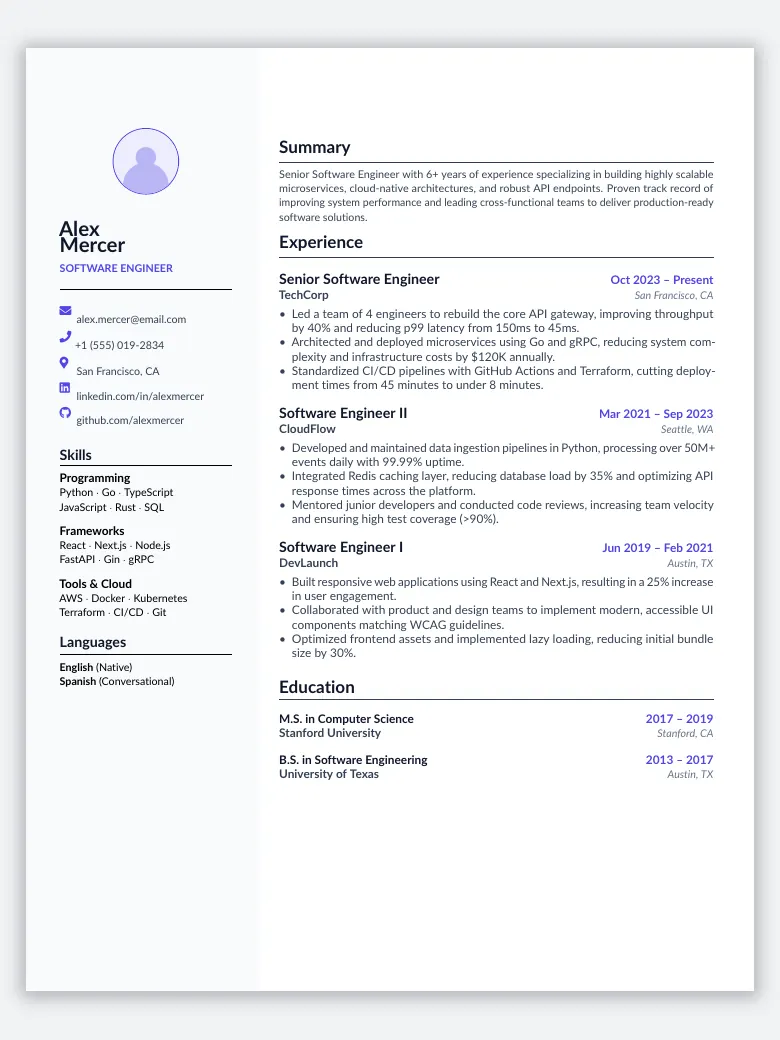
Two-Column Resume
Two columns
A tinted side column for a photo, contact details, skills and languages.
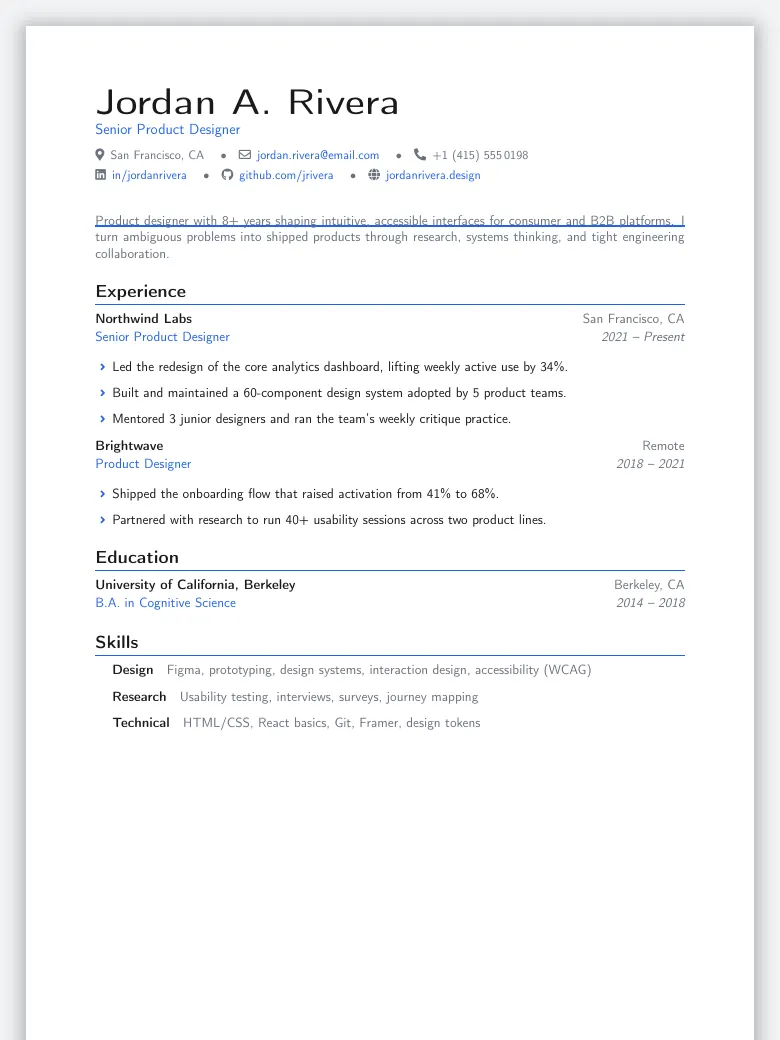
Modern Minimalist Resume
One column, one page
Plenty of white space, one accent colour and a thin rule under each heading.
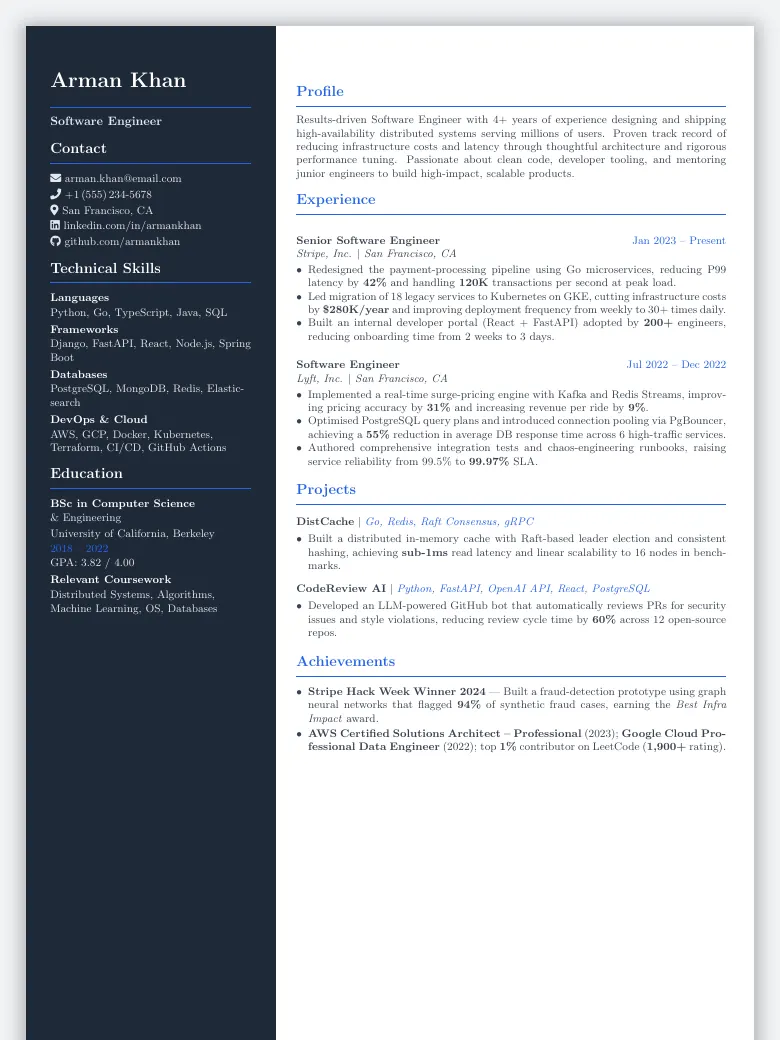
Software Engineer Resume
Two columns
A dark side column for skills and contact details, with experience and projects in the main one.
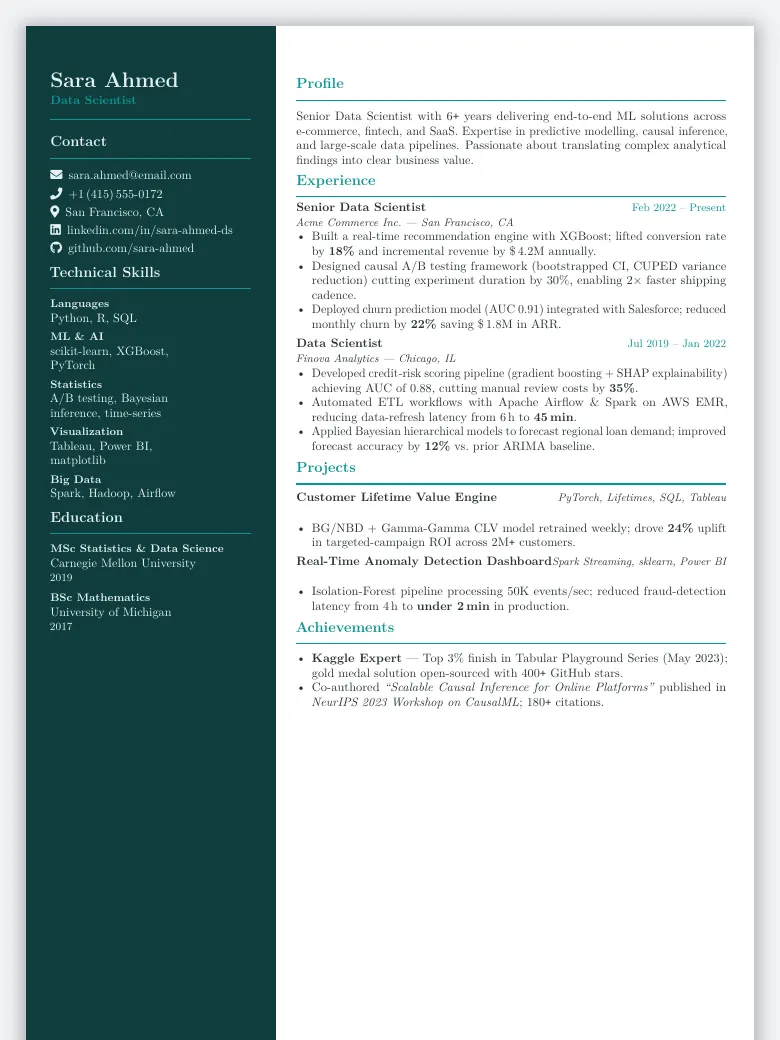
Data Scientist Resume
Two columns
Skills and tools at the side, with projects and measured results in the main column.
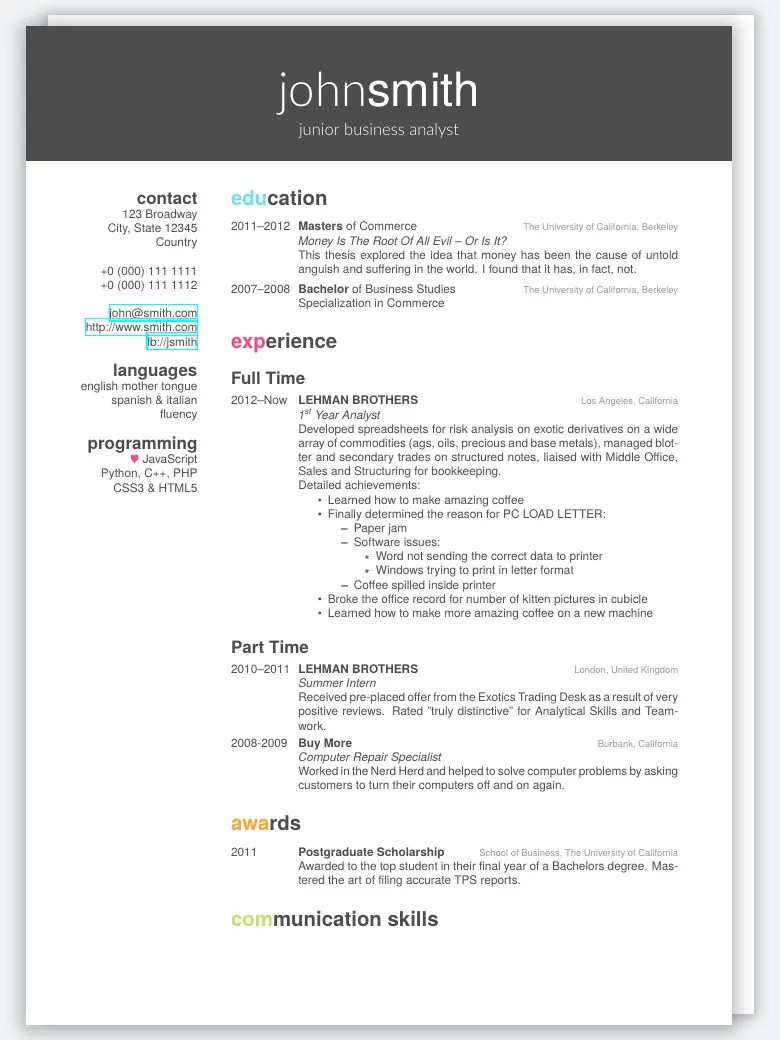
Friggeri CV
Two columns
A bold header and a narrow side column. Distinctive, and one for a reader, not for a form.
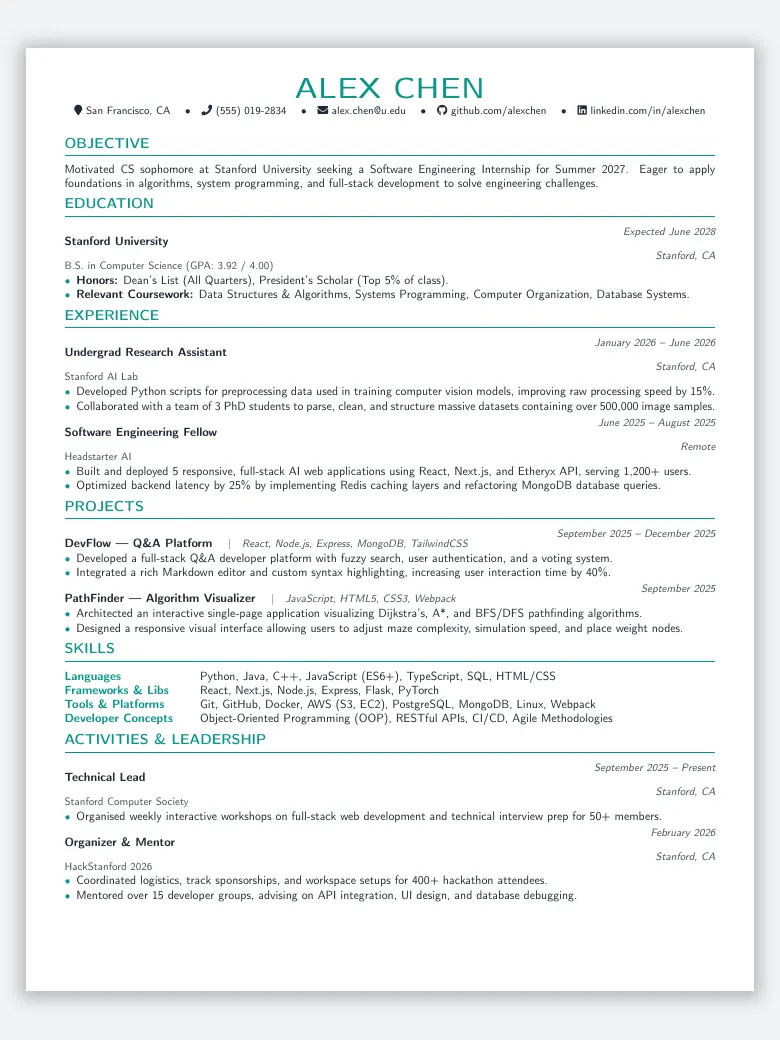
College Student Resume
One column
Education first, then projects, internships and activities. For students with little work experience.
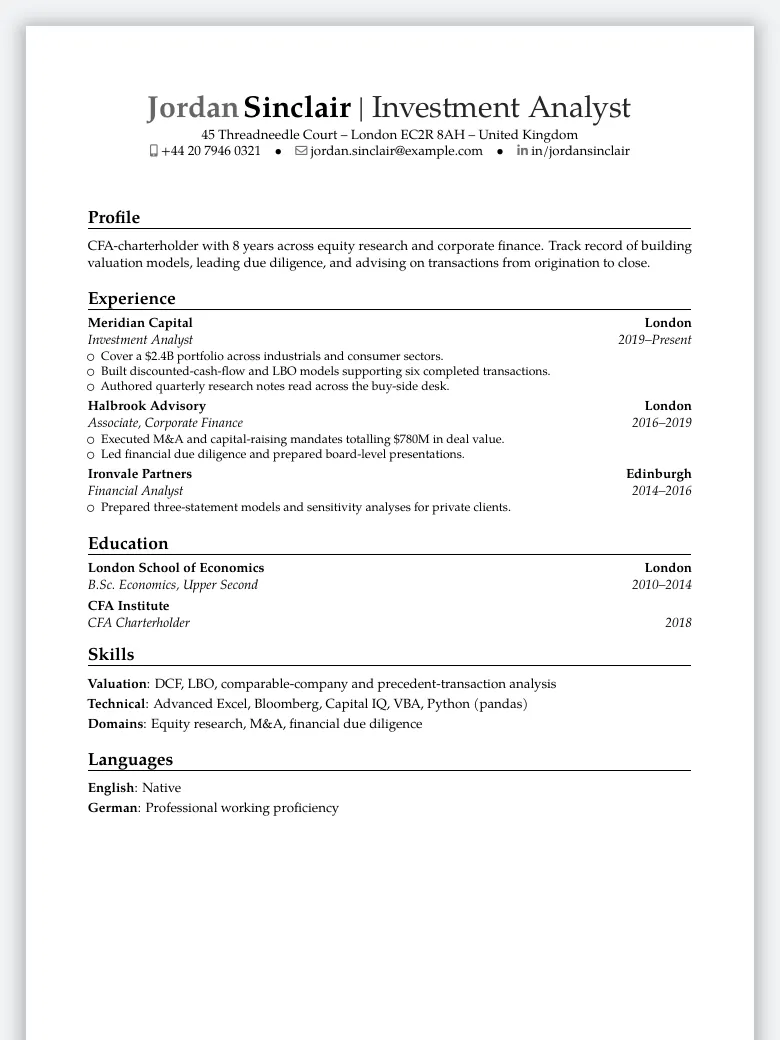
Banking & Finance CV
One column
Conservative and dense. For banking, finance and consulting.
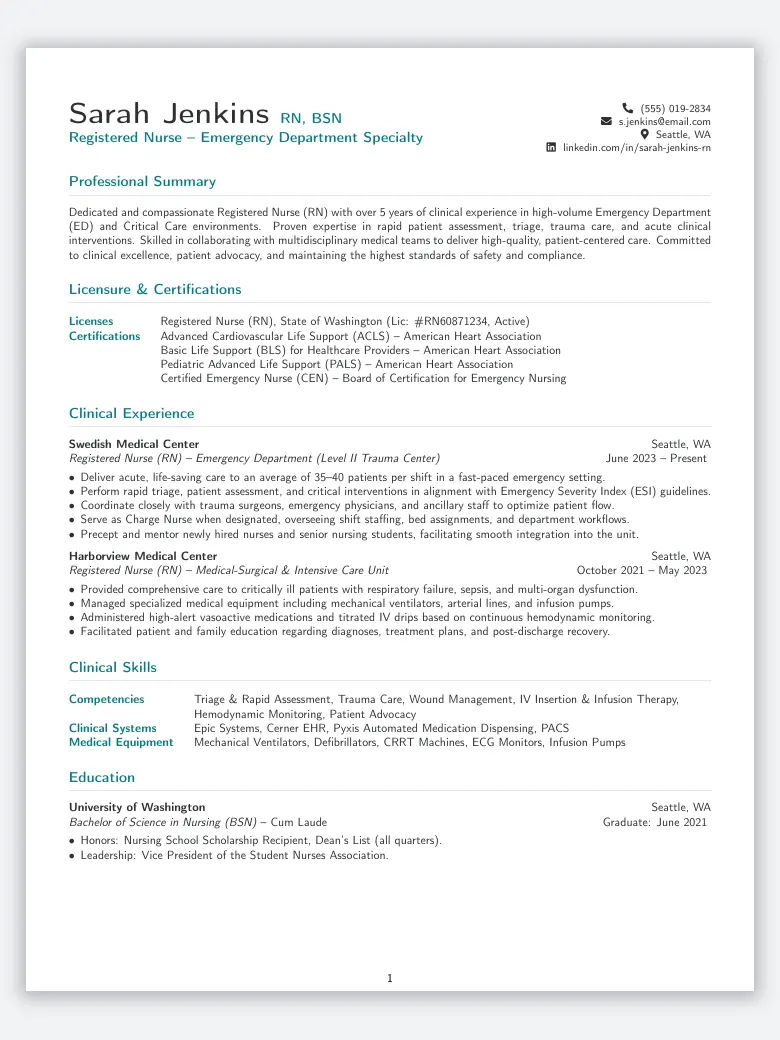
Nurse / Medical Resume
One column
Licences and certifications near the top, then clinical experience.
Which one should you pick?
| If you are a... | Start with |
|---|---|
| New grad / student | Jake's Resume or College Student Resume |
| Software / data engineer | Jake's Resume for an application form; Deedy, Software Engineer or Data Scientist Resume to send directly |
| Designer / creative | AltaCV or Friggeri CV |
| Academic / researcher | Academic CV |
| Finance / consulting | Banking & Finance CV |
Browse them all, plus 1000+ other free LaTeX templates, at letx.app/templates. Each template's page names its author and licence, and every one compiles in your browser in a few seconds.
Frequently asked questions
Is there a LaTeX CV template for my country?
Yes. 37 of the 178 CV templates follow a specific country's conventions, including the German Lebenslauf, Japanese rirekisho and shokumu keirekisho, US federal résumé, Europass, and standard formats for the UK, France, Spain, Italy, Brazil, India, Singapore, South Korea and more. These differ in section order, whether a photo and date of birth are expected, and length. A Lebenslauf is not a translated US résumé.
What is the best LaTeX resume template?
It depends on your field. A clean single-column template like Jake's Resume is the safest, most ATS-friendly choice for most people. Designers prefer AltaCV or Friggeri CV; academics should use a dedicated Academic CV. All are free and editable in your browser on LetX.
Are LaTeX resumes ATS-friendly?
Single-column LaTeX resumes parse cleanly in most Applicant Tracking Systems, because the text is real text rather than an image. Avoid heavy multi-column designs where you know a portal is involved, and keep section headings standard. There is a thirty-second test you can run on your own PDF to settle it either way.
How do I edit a LaTeX resume without installing LaTeX?
Open any template on LetX and click "Open as Template": it compiles to PDF in seconds in your browser, no TeX install, then download or share the PDF.
Is there LaTeX resume code I can copy and paste?
Yes. This page includes a complete one-page LaTeX resume in a single file: one column, standard section names and real text, so applicant tracking systems can read it. It compiles with pdfLaTeX in any editor, or opens as a LetX project with one click.
Should a resume be one page or two?
One page for students and early-career candidates; two pages once you have several years of relevant experience. Academic CVs are the exception and are expected to be long.
What's the difference between a resume and a CV?
A resume is a short targeted summary for industry jobs; a CV is a longer academic record with publications, grants and teaching. Use the Academic CV template for the latter.
Keep reading
Ready to try LetX?
Join researchers and students focusing on their work, not the tools.
Get Started Free
Written by Shihab Shahriar Antor , AI Engineer & Founder of Shahriar Labs. Builder of LetX (collaborative LaTeX) and offSchool (SSC science and maths, learned through simulations).